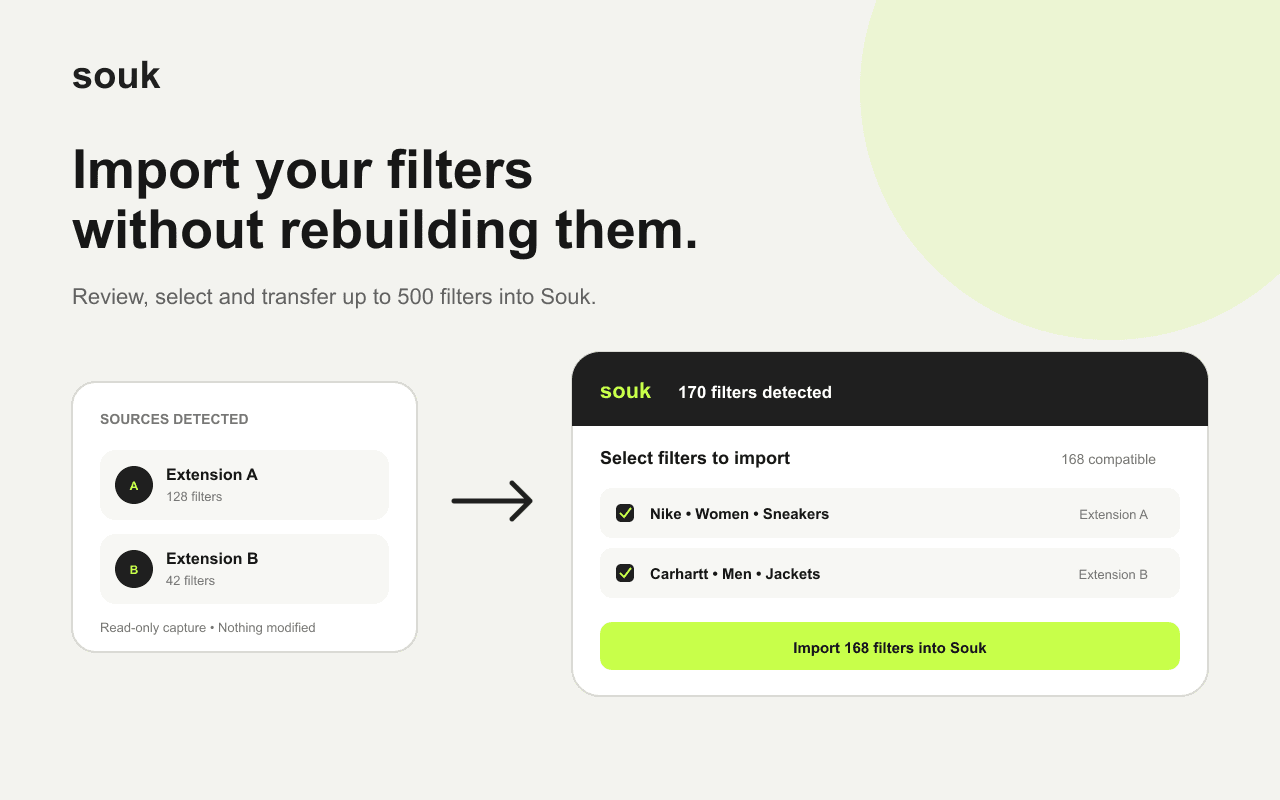
Import from another Vinted monitor
Souk detects up to 500 filters on the page, shows what needs a manual check, and imports the rest in safe batches. Failed batches can be retried on their own.
The free Chrome extension imports the filters you already run in another Vinted monitor, and turns any Vinted search into a Souk alert.
Free · Works with Chrome, Brave, Edge and Arc
Souk detects up to 500 filters on the page, shows what needs a manual check, and imports the rest in safe batches. Failed batches can be retried on their own.
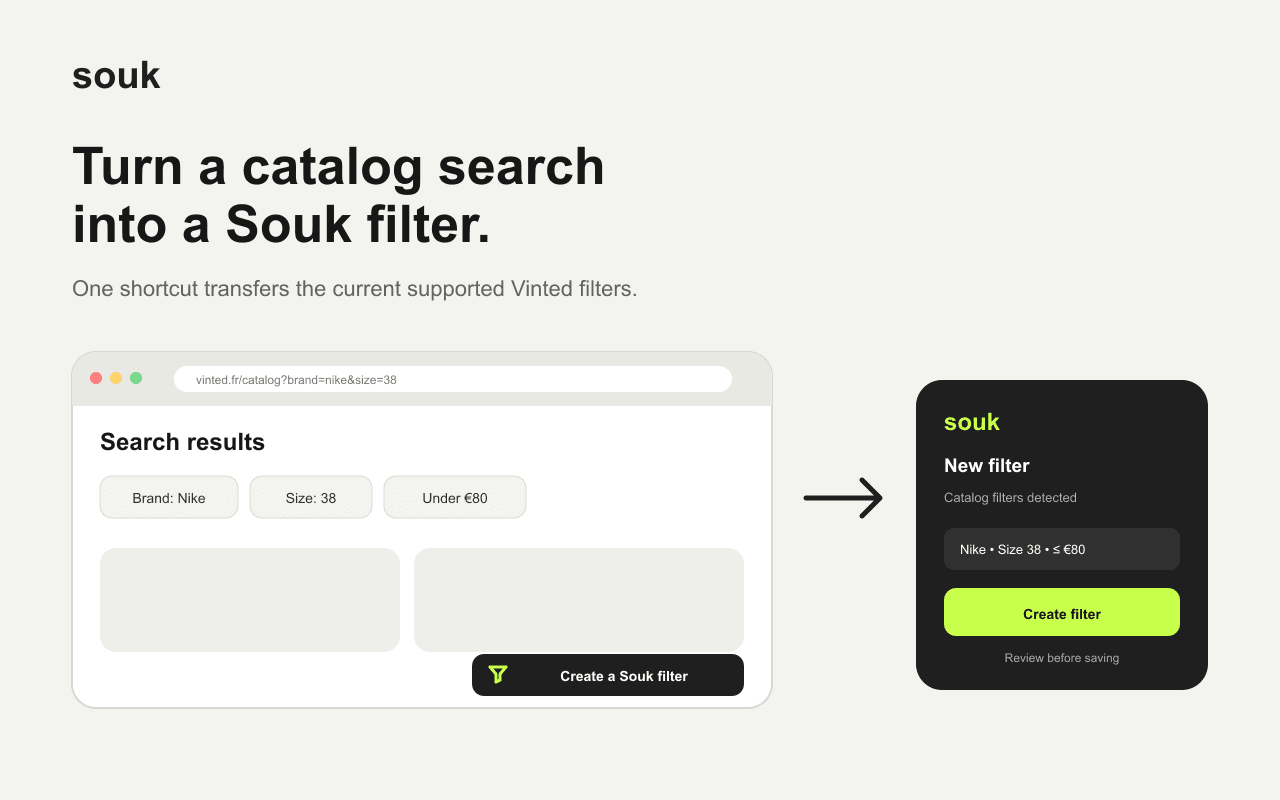
On a Vinted catalog page, the extension prefills a Souk alert with the brand, category, size and price you searched for.
Captured filters stay in Chrome until you clear them, nothing is sent to Souk before you confirm, and your access tokens never leave the source page.