The Vinted Autocop that buys the deals for you
Set your criteria and your maximum price. As soon as a new Vinted listing matches, Souk starts the purchase on your account, even when you are away from the screen.
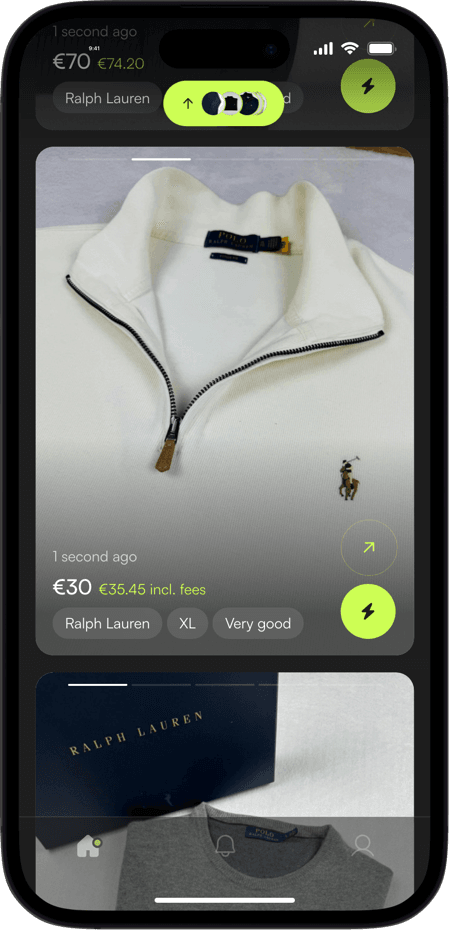
What is a Vinted autocop?
An autocop, also called a Vinted sniper or auto-buy bot, watches new Vinted listings and buys the ones that match your criteria, without waiting for you to click. On sought-after items a good deal is gone in seconds: an autocop lets you be the first buyer.
How Souk's Autocop works
- 1Link your Vinted account and make a first one-click purchase with Autobuy, to check payment and delivery.
- 2Create a filter: brands, category, size, condition, keywords and maximum price.
- 3Turn on Autocop for that filter and in your purchase settings.
- 4When a new listing matches, Souk starts the purchase on your Vinted account. You find it in Transactions.
Autobuy or Autocop?
Both buy on your Vinted account without going through Vinted's checkout steps. The difference is who decides to buy.
Autobuy: you decide
- You buy in one click from the feed or a notification
- Included in every paid plan
- Best when you pick item by item
Autocop: Souk buys for you
- The purchase starts as soon as the listing matches your filter
- Included in the Turbo and Business plans
- Best for items that sell in seconds
You stay in control
Your price, no more
Autocop only buys listings that match your filter, price included. With Auto-offer you also set a lower purchase limit: above it, Souk can send the seller an offer and negotiate.
Several accounts with Multicop
Souk can try to buy on several of your Vinted accounts in parallel: up to 10 with Turbo and 20 with Business.
Schedules
Turn Autocop off every evening and back on every morning, automatically, in your time zone.
One setting per folder
Give each folder of filters its own account group and its own Autocop setting.
Reposted listings skipped
By default, Autocop does not buy a listing a seller has just reposted, because those purchases often end up cancelled.
Verified consoles and iPhones
On Consoles and Mobile phones filters, Autocop can buy only with Vinted's electronics verification.
What Autocop cannot guarantee
- Vinted limits the number of purchases in a short period: an account used too much can be blocked for a while, usually less than 30 minutes.
- If your bank asks for 3D Secure, you complete the payment from Transactions while the bank keeps the check open.
- Another buyer can be faster on the same item. Between Souk members, Business comes before Turbo.
Vinted Autocop FAQ
What is Autocop on Vinted?
Automatic purchasing: Souk buys the Vinted listings that match a filter with Autocop turned on, within the price limit you set.
Autocop, sniper, auto-buy bot: what is the difference?
None: they are three names for the same tool, which buys a listing as soon as it goes live instead of waiting for you to see it.
Which Souk plan includes Autocop?
Turbo and Business. The Pro plan includes Autobuy, one-click purchase, but not automatic purchases.
Can Autocop go above my maximum price?
No: it only buys listings within your filter's price range. If you turn on Auto-offer, it buys directly only up to your purchase limit. For the filter's pricier listings, Souk can send the seller an offer and, if you chose to, buy as soon as the seller accepts or proposes a price at or below your limit. These amounts are the item price: Vinted's fees and shipping come on top.
Do I need to keep the app open?
No. Autocop runs on Souk's servers: it buys even when your phone and computer are off.
Can I cancel a purchase made by Autocop?
Yes, from Transactions, within minutes of the purchase and as long as the seller has not printed the shipping label.
Let Souk buy for you
Create your first filter in a minute, then turn on Autocop.