Install the Souk App on iPhone and Android
Souk is not downloaded from the App Store: add it to your Home Screen from Safari or Chrome in 30 seconds. Step-by-step screenshots.
On this page
Souk is not on the App Store
Souk is a web app: you install it from your browser, without the App Store or Google Play. Once on your Home Screen, Souk has its own icon and opens full screen, like an app.
The Souk app you may find on the App Store or Google Play is the old version and is no longer updated. Every new feature ships in the web app. See Still using the old Souk app?
Open souk.to in Safari or Chrome
- iPhone: open Safari and go to souk.to/app
- Android: open Chrome and go to souk.to/app
Do not use a link opened from Instagram, TikTok or another app: they open links in their own browser, which cannot install Souk. Type souk.to directly in Safari or Chrome instead.
On iPhone
- In Safari, on souk.to, tap the ☰ button to the left of the address.
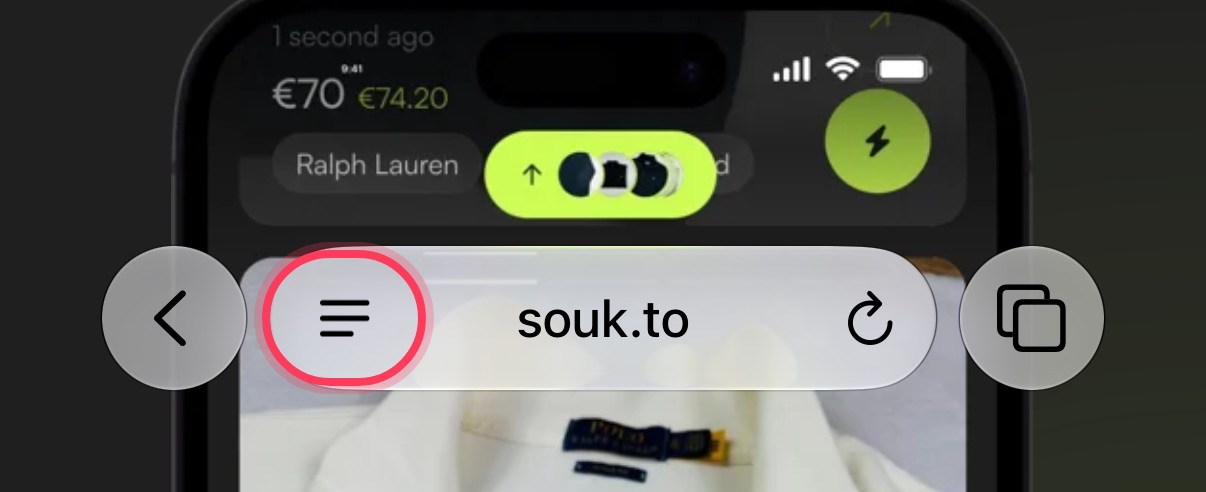
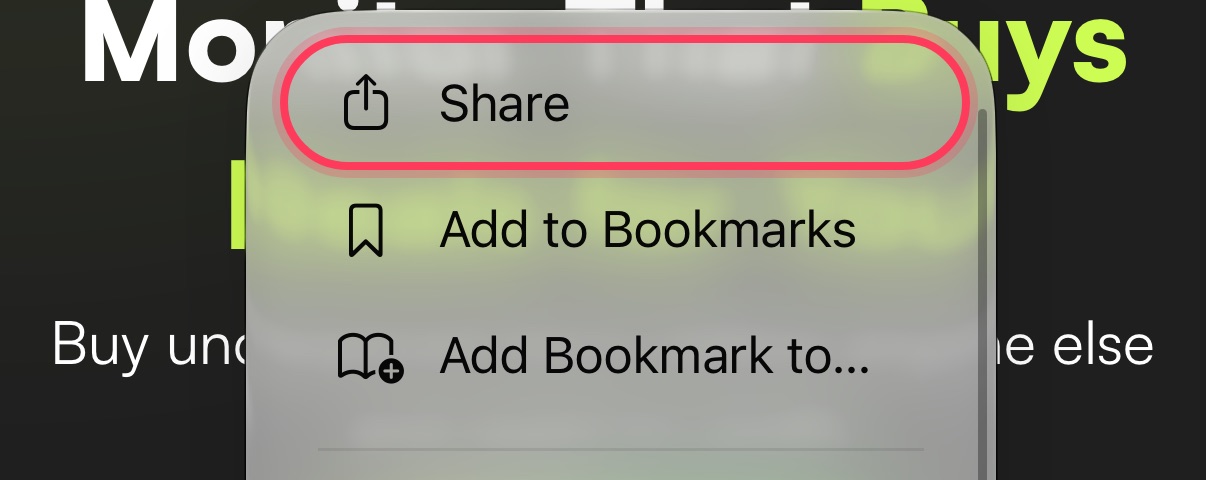
- Tap Share.
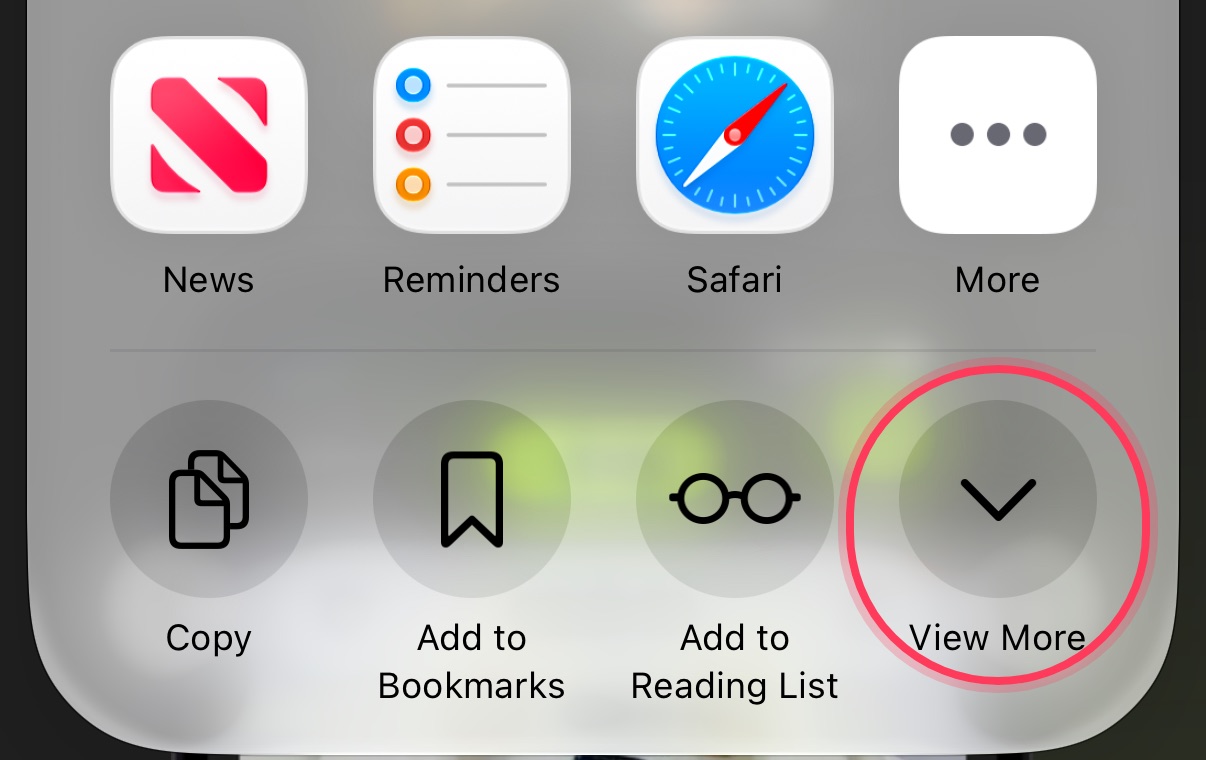
- Tap View More.
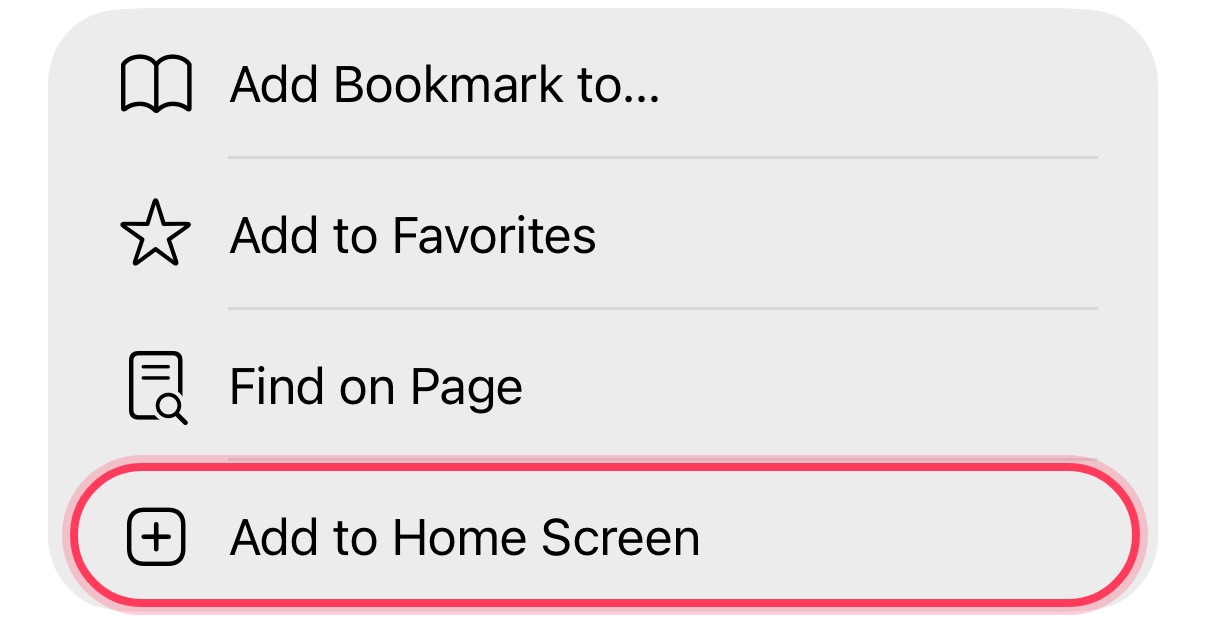
- Tap Add to Home Screen.
- Tap Add in the top right corner.
The Souk icon appears on your Home Screen. Open Souk from this icon; if Souk asks you to sign in, use the same account as in Safari.
These screenshots are from iOS 27. On an older iOS version, the Share button (the square with an arrow) is directly in Safari's toolbar: tap it, then scroll down to Add to Home Screen.
On Android
- In Chrome, on souk.to, tap the ⋮ menu in the top right corner
- Tap Add to Home screen or Install app
- Confirm with Install
Next steps
- Turn on notifications: Souk mobile app and notifications
- Link your Vinted account to buy and make offers from Souk: Linking Vinted Account to Purchase
Still stuck? Write to us from Settings → Contact us with a screenshot of what you see.